![Parsd_logo_new_gray_large.png]](https://support.parsd.com/hs-fs/hubfs/Parsd_logo_new_gray_large.png?height=49&name=Parsd_logo_new_gray_large.png)
This chat feature has been updated as of October 19th, 2024, based on feedback from the community.
File Chat - chatting with the complete text of one Knowledge Object
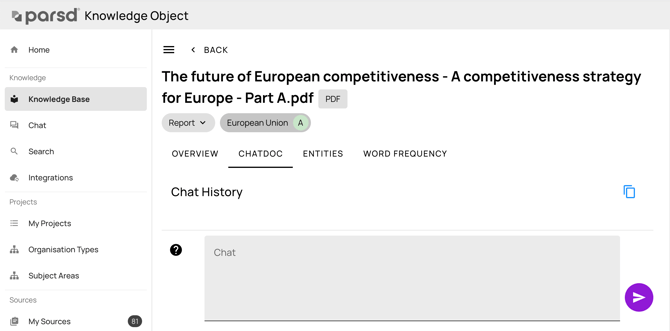
Do I only have to write content questions?
No, that is not required in the File Chat anymore. You can ask content-oriented questions and give instructions on what you want to extract from the text. You can also reformat or translate text. Some examples:
- What are the main competitive shortcomings of the EU region? (Content-oriented question)
- List all names of fuel and commodities found in the text (instruction to extract text)
- Translate that list of commodities to Swedish (translation instruction)
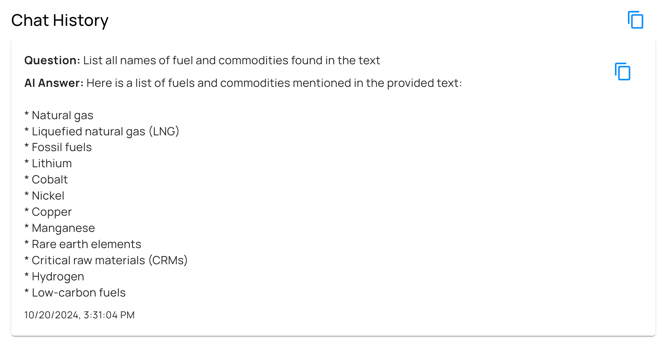
Example of a text extraction instruction in the File Chat
Does the File Chat chat work differently than the Project and Global Chats?
Yes, they do work differently. The main difference is that File Chat always analyzes the whole document while the Project and Global Chat always perform a search first. That means that it is important to ask content-oriented questions with some details of what you are interested in to get the best answers. Read more about these chats here: How do the chats work?
How long do I have to wait for an answer?
It depends on the amount of text in the document or the audio file. Generally, longer text takes longer to process. Answers for shorter text appear within a few seconds, but really long text can take tens of seconds to process. Sometimes, the first question triggers a startup of the underlying service, which can take between 10-20 seconds. The following answers will come much faster after the service is started.